AI cover generator
Upload a song and hear it sung by another voice: Justin Bieber, Taylor Swift, Hatsune Miku, Cartman or 3427+ others. Free to start, no signup, right in your browser.
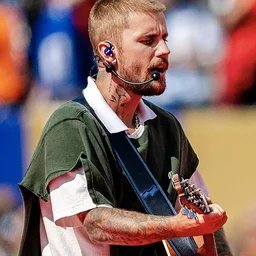
The vocals are sung by Justin Bieber and mixed back over the music, kept in key. Up to 15 MB.
Pick a voice
How to make an AI cover
- Pick the voice that should sing: Justin Bieber is ready to go, or choose another from the lists below or the Voices tab.
- Upload the song: an mp3, wav, m4a, flac or ogg file up to 8 minutes.
- Wait about a minute. The vocals are separated from the music, sung by the new voice and mixed back with the music.
- Play the cover, download it or share it with a link. Try the same song in a few voices: each one costs only the credits for that song.
Tips for a clean cover
- Use the best copy of the song you have. A clear studio recording works far better than a live video or a phone recording of speakers.
- Songs with one lead singer work best. Duets, choirs, heavy backing vocals and lots of reverb can leave traces of the original voice.
- If a high voice sings a low song (or the other way round), try the pitch slider at +12 or −12. Keep it at a whole octave so the vocal stays in key.
- Short on credits? Cut the song to the part you want first: a 30-second chorus costs 3 credits.
AI cover questions
Is the AI cover generator free?
You can start for free with no account: new visitors get 20 credits and a free account adds 50 more. A cover costs 1 credit per 10 seconds of song (Premium voices cost double), so a 3-minute song is about 18 credits. After that, Studio is $1 for 30 days with 1,000 credits, one payment and no subscription.
How long does a cover take?
Usually about a minute for a 3-minute song. The site first separates the vocals from the music, then sings them in the new voice and mixes them back with the music.
Which songs and files work?
mp3, wav, m4a, flac or ogg files up to 8 minutes and 15 MB. Songs with one clear lead vocal and little reverb or backing vocals come out cleanest; rap, choirs and heavy effects are harder.
Does the cover stay in the key of the song?
Yes. When the new voice is much higher or lower than the singer, the vocal is moved in whole octaves only, so it stays in key with the music. You can set the octave yourself with the pitch slider (0, +12 or −12).
Can I make a cover on my phone or tablet?
Yes. Everything runs in the browser on iPhone, iPad, Android, Chromebooks and computers, with nothing to install. Pick a song from your files and download the cover when it is done.
Which voices can sing?
Almost all of the 3427+ voices: singers, K-pop and Latin artists, virtual singers like Hatsune Miku and Kasane Teto, and cartoon, game, anime and movie characters. Characters singing pop songs are some of the most popular covers on the site.
Can I post AI covers on TikTok or YouTube?
The voices are fan-made AI models, not the real artists or characters, and the song itself still belongs to its rights holders. Label anything you share as an AI cover, and follow the rules of the platform you post on.
The voices are fan-made AI models. voicechange.io is not affiliated with or endorsed by the artists, voice actors or rights holders. Please label shared covers as AI. Rights holders can request removal on the contact page.
Go live in Discord, games and Zoom
The same voices, changed as you talk. About 25 ms of delay.