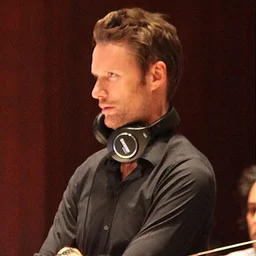
Brian Tyler AI voice changer
Turn your voice into drums. Trained on the drums from Brian Tyler's Formula 1 theme, so speech and beatboxing come out as percussion. Make a song cover in Brian Tyler's voice, or type text to hear it spoken. Free, no signup.
- 1Pick a voice
- 2Record, upload a file or song, or type text
- 3Listen, download and share
Auto pitch moves your voice into Brian Tyler's range. If it sounds too high or low, nudge the slider (12 = one octave).
Pick a voice
About the Brian Tyler voice
Brian Tyler is an American composer best known for film, television and video game scores. His credits include several Fast & Furious films, Thor: The Dark World and Iron Man 3, and he also wrote the theme heard in Formula 1 broadcasts. That theme's driving, high-energy drum sound is what this voice is built from.
This is an instrument voice, not a singing or speaking one. Expect drums rather than words: punchy kicks, snappy snares and crisp hits that follow the rhythm and energy of what you put in. Speech comes out as fast, rhythmic percussion, and beatboxing translates especially well. Pace and timing carry over from your original performance, so the result feels tight, urgent and cinematic rather than smooth or melodic.
On voicechange.io you can record or upload speech, type text to hear it played back in this voice, or make a song cover. The pitch is matched to the voice automatically, so you don't need to adjust it. For the best results, give it a strong rhythm to work with. Short, sharply articulated sounds like "boots" and "cats", clear consonants and a steady tempo work better than long, flowing sentences. Record in a quiet space and keep your timing consistent.
Voice details
| Category | Instruments |
|---|---|
| Model type | RVC voice conversion model (fan-made) |
| Works with | Beatboxing, humming, singing and song covers |
| Last updated | October 26, 2026 |
Tips for the best Brian Tyler result
Instrument models turn the rhythm and contour of your voice into the instrument. Short, percussive sounds (beatboxing, "t", "k" and "b" sounds) come out as the clearest hits; long vowels turn into sustained tones. Use the pitch slider to make it sound higher or lower.
- Record in a quiet room with no music in the background; noise is the main cause of robotic-sounding results.
- Perform the line the way Brian Tyler would say it. The model copies your timing and emotion, only the voice changes.
- For song covers, pick a track with one clear lead vocal and little reverb.
This is a fan-made AI voice model. voicechange.io is not affiliated with or endorsed by Brian Tyler, the voice actors or the rights holders. Please label shared results as AI and don't use them to mislead anyone. Rights holders can request removal on the contact page.
Brian Tyler voice questions
Is the Brian Tyler AI voice free?
Yes. You can use the Brian Tyler voice on voicechange.io for free with no account: type text, change a recording or make a song cover. Free downloads keep up to 3 minutes per clip.
Is this the official Brian Tyler voice?
No. It is a fan-made AI voice model and is not affiliated with or endorsed by Brian Tyler, the voice actors or the rights holders. Please label anything you share as AI.
Want to talk in a new voice live? Get the free desktop app for Discord and games.