Male voice changer
Turn on your mic and choose Granite to hear a lower, fuller version of your voice. It lowers the pitch and the resonance together, so a higher voice reads as male instead of just slowed down.
For a specific, natural male voice, use one of the AI voices below on a recording or typed text.
Tap the mic to talk as
Runs in your browser; nothing is uploaded. Use headphones so the mic doesn't hear your speakers. To use these voices in Discord or games, get the free app.
Male AI voices
AI voices change recordings, uploads and typed text on the home page. Open one to hear its sample and use it.

Idris Elba
Speak as Idris Elba, the British actor known for his deep, gravelly voice, here as Solomon Reed in Cyberpunk 2077.

James Earl Jones
Speak as James Earl Jones, the legendary actor known for his deep, resonant baritone voice.

Morgan Freeman
Narrate with the warm, deep, soothing voice of Morgan Freeman, the Academy Award-winning American actor and narrator.

Whitebeard
Speak as Whitebeard, Edward Newgate, the legendary Yonko and captain of the Whitebeard Pirates from One Piece.

Dexter Morgan
Speak as Dexter Morgan, the soft-spoken forensic analyst and serial killer from Dexter, voiced by Michael C. Hall.

Ghost
Speak as Simon "Ghost" Riley, the masked British special-forces operator from Call of Duty: Modern Warfare 2.

Husk
Speak as Husk, the gruff, sarcastic cat-demon bartender of the Hazbin Hotel.

Jadakiss
Rap like Jadakiss, the raspy-voiced New York rapper from The LOX.

Freddy Fazbear
Speak as Freddy Fazbear, the friendly yet ominous animatronic bear mascot of Freddy Fazbear's Pizza from Five Nights at Freddy's.

Ghostface
Sound like Ghostface, the masked killer from the Scream movie franchise.

Springtrap
Speak as Springtrap, the decayed animatronic William Afton from Five Nights at Freddy's 3.

Sukuna
Sound like Ryomen Sukuna, the King of Curses from Jujutsu Kaisen, in his menacing Japanese voice.
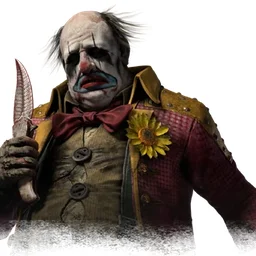
The Clown
Sound like The Clown, the killer from Dead by Daylight.

Aragorn
Speak as Aragorn, the ranger and heir of Gondor from The Lord of the Rings, in his Italian dub voice.

Elon Musk
Sound like Elon Musk, the tech entrepreneur and CEO of Tesla and SpaceX.
Getting a natural male voice
- Speak a little lower and slower than usual, then let the effect do the rest.
- Use less melody: male speech tends to stay in a narrower range.
- Get close to the mic for a warmer, fuller sound.
- With AI voices, leave auto pitch on. It shifts a higher voice down by up to an octave so the result isn't strained.
Questions
Why does my voice sound like a slowed-down recording?
That happens when only the pitch is lowered. Granite also lowers the formants, which is what makes a voice sound like it comes from a bigger body. AI voices avoid the problem completely.
Can I use it in games?
Yes, with the free VoiceChange desktop app, which works live in Discord and in-game voice chat.
Free desktop app
Use your new voice in Discord, games and calls
Adds a virtual microphone any app can pick, with all the live voices plus AI voices that run on your computer.