Chipmunk voice changer
Switch on your mic and pick Squeak for the classic helium cartoon voice, or Sprite for something small, bright and young. It's instant and nothing is uploaded.
High cartoon AI voices like Elmo and Big Bird are further down for recordings and typed text.
Tap the mic to talk as
Runs in your browser; nothing is uploaded. Use headphones so the mic doesn't hear your speakers. To use these voices in Discord or games, get the free app.
High-pitched AI voices
AI voices change recordings, uploads and typed text on the home page. Open one to hear its sample and use it.

Elmo
Speak as Elmo, the cheerful red furry monster from Sesame Street.

Anya Forger
Speak as Anya Forger, the telepathic little girl from SPY x FAMILY, in her Japanese voice.

Kobo Kanaeru
Sing like Kobo Kanaeru from hololive Indonesia. This is a singing model with her bright, playful voice.

Rin Kagamine
Sing as Rin Kagamine, the energetic Vocaloid idol from Crypton Future Media.
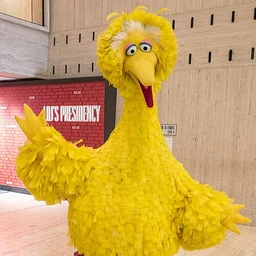
Big Bird
Become Big Bird from Sesame Street, with his high, friendly, sing-song voice.

Unikitty
Sound like Unikitty, the cheerful, hot-tempered cat-unicorn princess from The LEGO Movie.
Chipmunk vs helium
The chipmunk sound comes from raising pitch and formants together, as if the tape were sped up but without speeding up your words. Helium makes your voice sound smaller because sound travels faster through it, which shifts the resonances. Squeak imitates that; Sprite raises the pitch less for a voice that still sounds human.
Tips
- Talk a bit slower than normal; high voices sound frantic if you rush.
- Short, excited lines work best.
- Use headphones so the effect doesn't feed back.
Questions
Can I use the chipmunk voice in a video?
Yes. Record a clip with the live changer and download it, then add it to your video. For live streams, use the desktop app with OBS.
Free desktop app
Use your new voice in Discord, games and calls
Adds a virtual microphone any app can pick, with all the live voices plus AI voices that run on your computer.